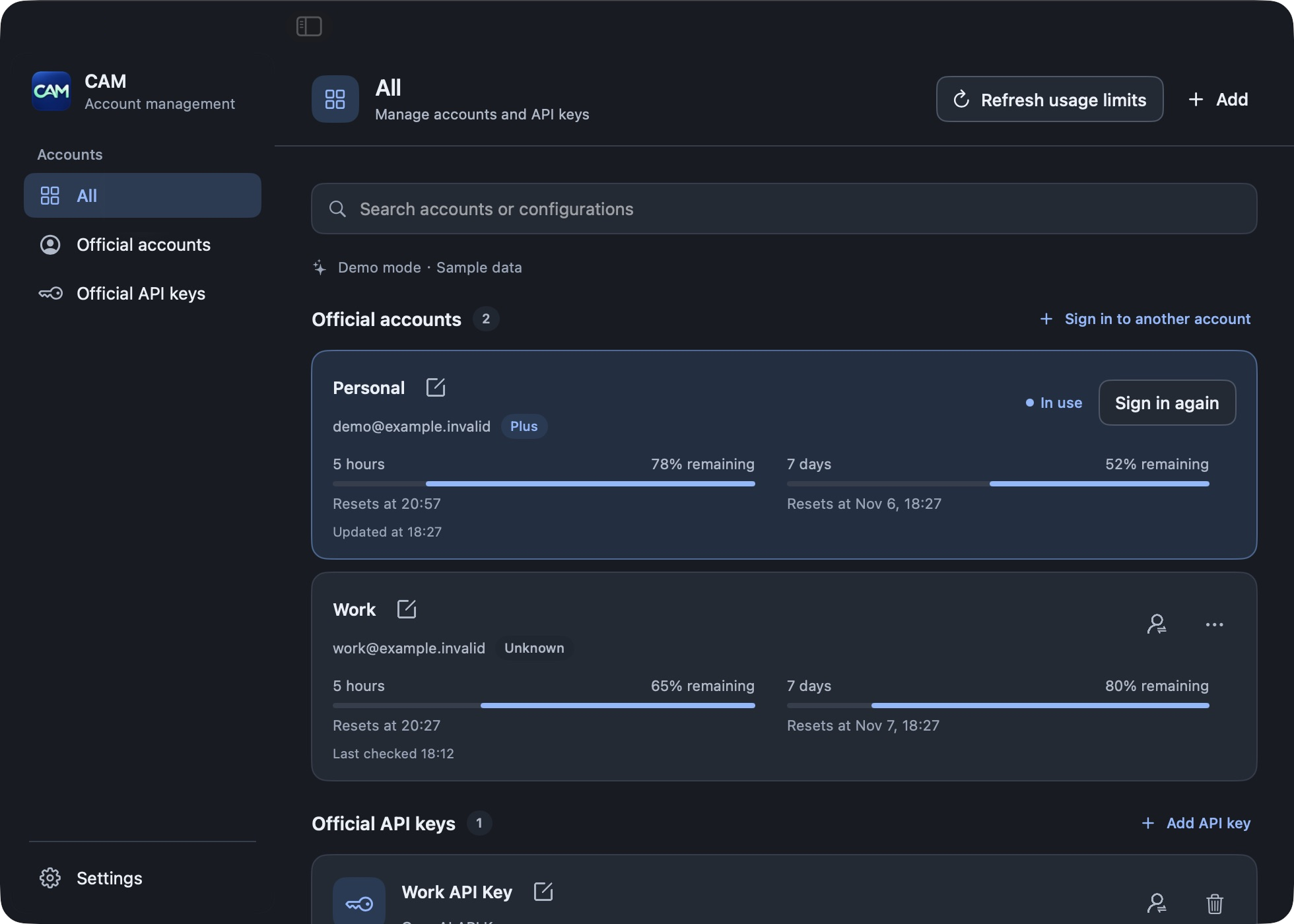
Switch accounts and keys
Keep ChatGPT accounts and OpenAI API keys together. CAM backs up the current file credentials before switching and shows which login is active.
Manage and switch ChatGPT accounts and OpenAI API keys, and check Codex usage in one native macOS app.
Bring accounts, keys, and usage together so the information you need is always in view.
Keep ChatGPT accounts and OpenAI API keys together. CAM backs up the current file credentials before switching and shows which login is active.
View the windows, remaining percentages, and reset times returned by Codex. Refresh the current account’s usage whenever you need to.
Switch from the menu bar or main panel. Choose light, dark, or system appearance, and use the app in Simplified Chinese, Traditional Chinese, or English.
Start with the official sign-in flow, then choose the configuration you need.
Read the full guideInstall and launch the app to see your current Codex login.
Sign in with your browser or a device code, or save an OpenAI API key.
Switch from the main panel or menu bar and get back to work.
CAM stores account profiles and credentials in local files. Before switching, it saves the current login again to preserve tokens Codex may have refreshed.
Read about data and securityCredential files are unencrypted. Protect your local data.
A few details about installation and everyday use.
Questions? Visit GitHubThe download uses an ad-hoc signature and is not Apple developer-signed or notarized. After confirming the download is from a trusted source, try to open the app, then select “Open Anyway” in System Settings → Privacy & Security.
Alternatively, after dragging CAM to Applications, run this in Terminal:
xattr -dr com.apple.quarantine "/Applications/Codex Account Manager.app"This removes the app’s download quarantine flag and skips the corresponding first-launch origin check. It does not add an Apple developer signature or notarization. Read Apple’s guidance
CAM can save multiple configurations, but Codex uses one login method at a time. CAM backs up the current file credentials before switching; end other Codex CLI sessions first.
API key billing is separate from ChatGPT usage. CAM shows account limits returned by Codex; it does not display API key balances.
You need macOS 13 or later and the Codex CLI. The download supports both Apple silicon and Intel Macs.

Free and open source, ready for your Codex workflow.